QR menus for restaurants, cafés and bars

Your paper menu, in 24 languages. One QR code.

Photograph the menu you already have. Check the reading, translate, publish. Guests scan the code and read your menu in their own language, in their phone's browser. Nothing for them to install.

Download on the App Store Android: coming soon on Google Play

7-day free trial · one yearly plan per restaurant · cancel anytime

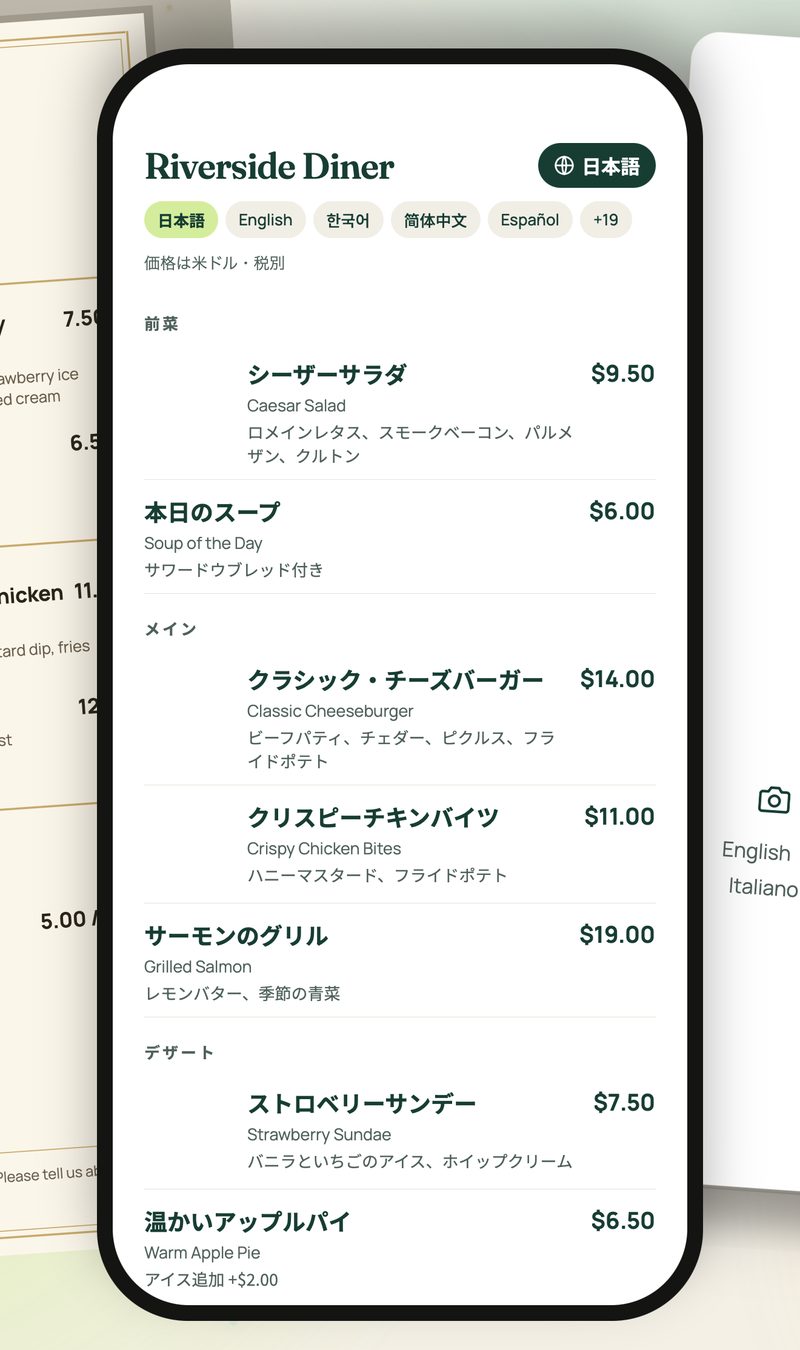
A guest's phone showing the Riverside Diner menu in Japanese, with the English dish names under each translation
日本語English简体中文繁體中文한국어EspañolFrançaisDeutschItalianoPortuguêsالعربيةעבריתहिन्दीไทยTiếng ViệtBahasa IndonesiaBahasa MelayuFilipinoTürkçePolskiУкраїнськаРусскийNederlandsRomână

How it works

From a photo to a printed QR code, in one sitting.

Nothing is published until you have checked it. No sign-up, no login, no spreadsheet.

1

Photograph it

Take a picture of your menu or choose one from your library. Up to four pages per menu.
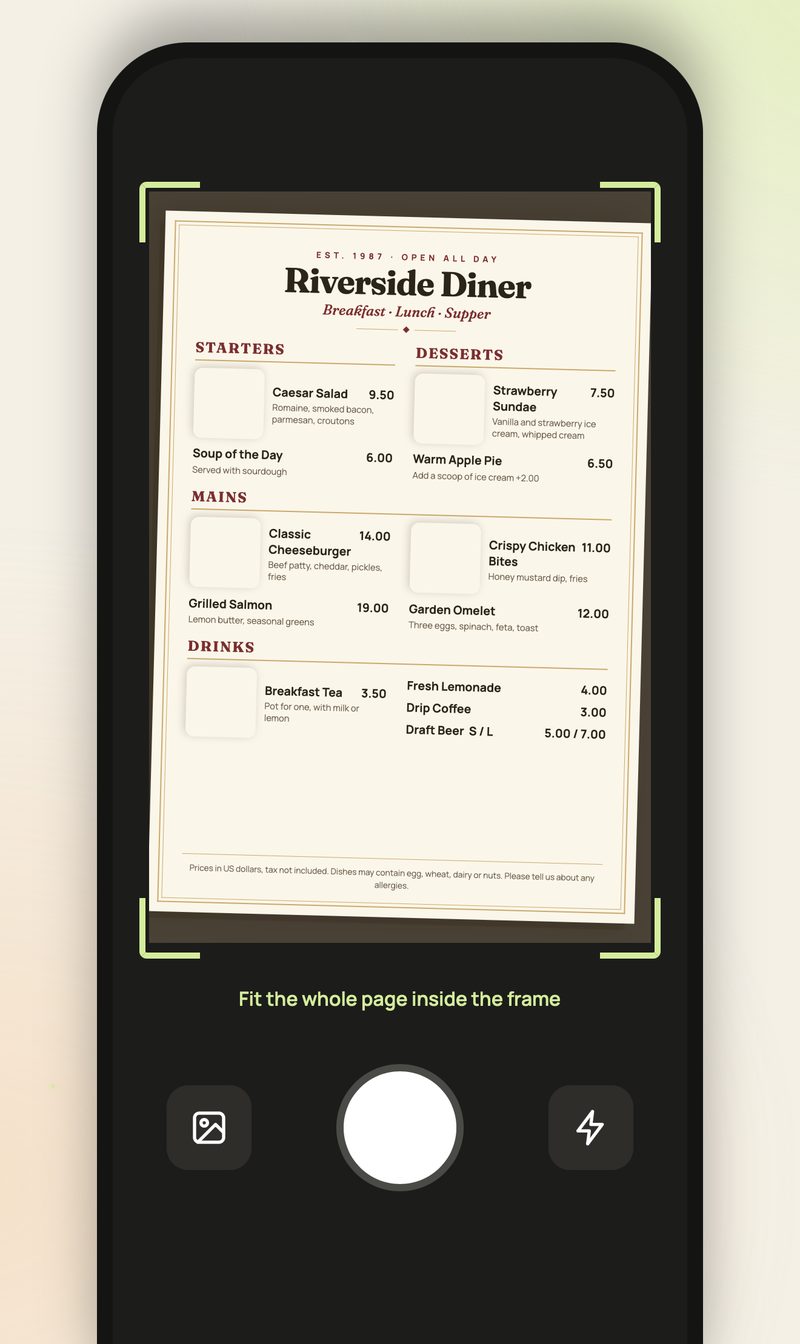
The camera screen framing a paper menu
2

Check it

Every dish, price and note sits next to its line in the photo. Fix anything, then approve.
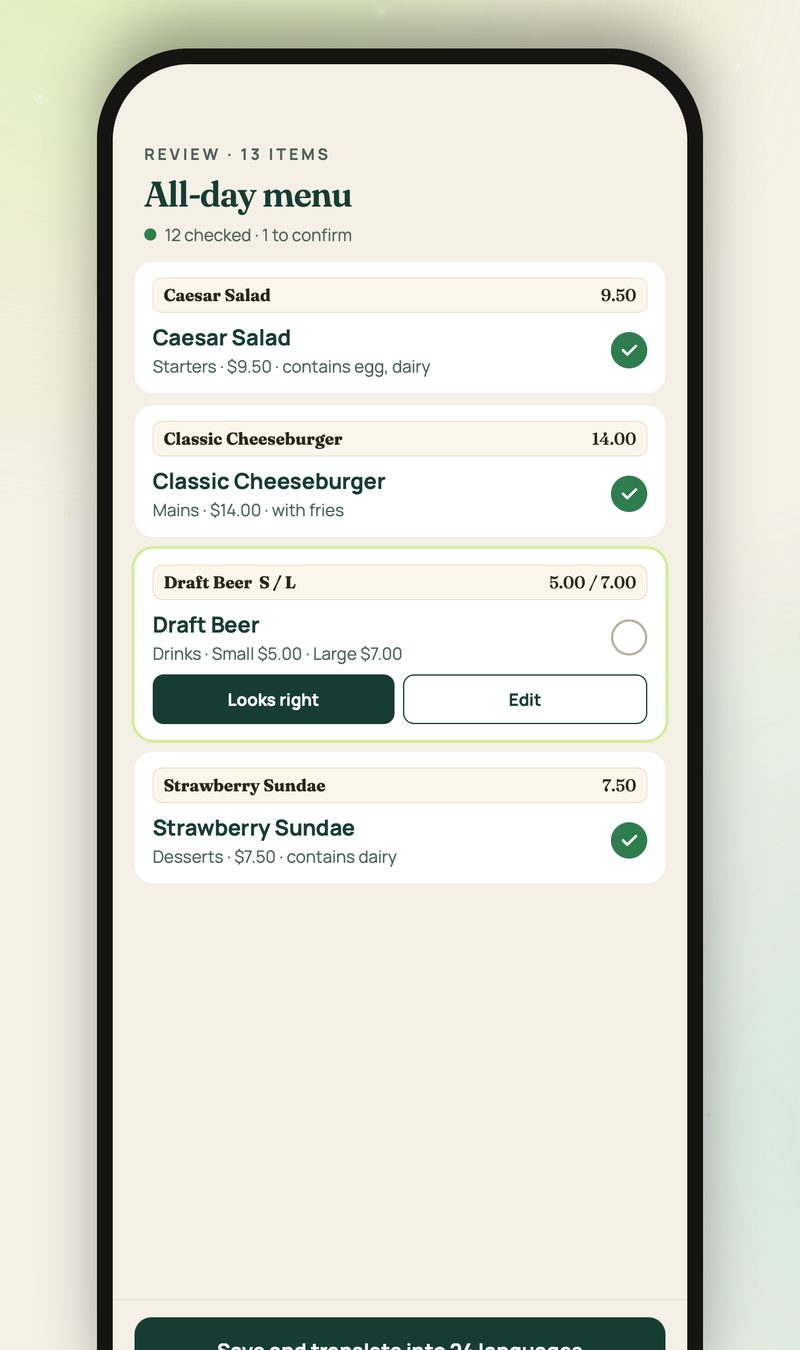
The review screen listing dishes with their photo crops and prices
3

Translate

24 languages are generated in the background while you keep working. Prices stay exactly as you entered them.

Caesar SaladOriginal
シーザーサラダ日本語
凯撒沙拉简体中文
시저 샐러드한국어
Ensalada CésarEspañol
Salade CésarFrançais
4

Publish and print

One QR code on the table. Change a price or mark a dish sold out and the same code shows the update.
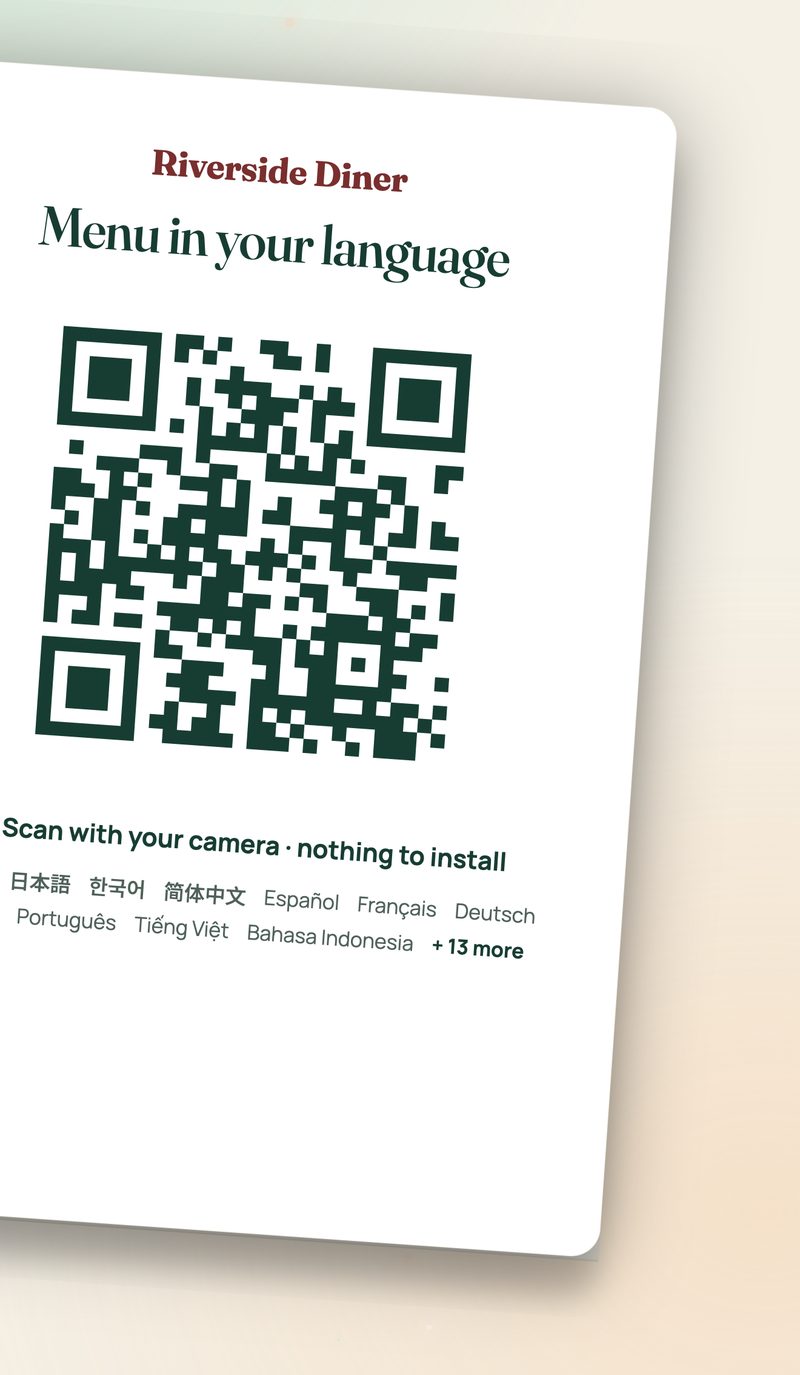
A table card reading “Menu in your language” with a QR code

For your guests and your staff

Opens in their language. Reads in yours.

  • Works in the phone's browserGuests scan with their camera. No app, no account, and the page opens in the phone's language with a switcher for the rest.
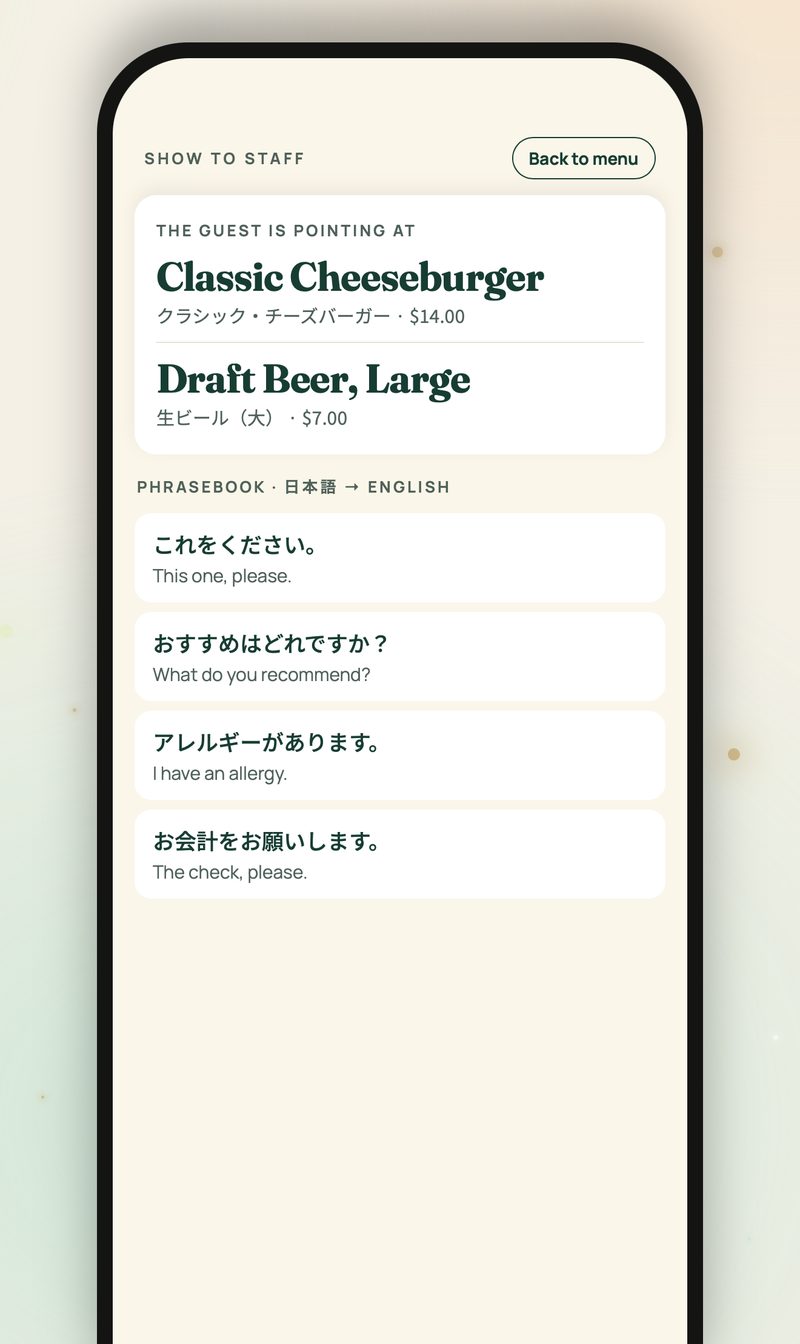
  • Your original name under every dishGuests can point at the screen and order. Staff mode flips the page to your language with a short phrasebook.
  • Sections, sizes and prices kept intactPrices stay in your currency. Right-to-left languages such as Arabic and Hebrew are laid out correctly.
  • No reprintingEdit a price or mark a dish sold out in the app and the printed code shows the update right away.
Staff mode: the dish a guest is pointing at, shown in the restaurant's language, with a phrasebook

Good to know

Honest about what the app does and doesn't do.

You review every translation

Translations are machine generated and checked by you, not by a professional translator. Read them before you print the code.

Allergens only as printed

AnyMenu shows the ingredient and allergen notes that appear on your menu. It never claims a dish is free of an allergen when the menu does not say so.

Your photo stays private

The original menu photo and unpublished drafts are never shown on the public page. Guests see only what you published.

Pricing

One plan. Try it for a week first.

Creating, checking and translating a menu is free. The yearly plan keeps your QR page live.

7-day free trial
¥9,800 / year per restaurant

Billed through the App Store or Google Play. Local pricing is shown in the app.

  • All 24 languages, unlimited menus and edits
  • One QR code that never changes, dish photos, staff mode
  • Weekly guest counts by language on your dashboard
  • Renews automatically; cancel anytime in your store settings. When the plan ends, the QR page pauses until you resume.